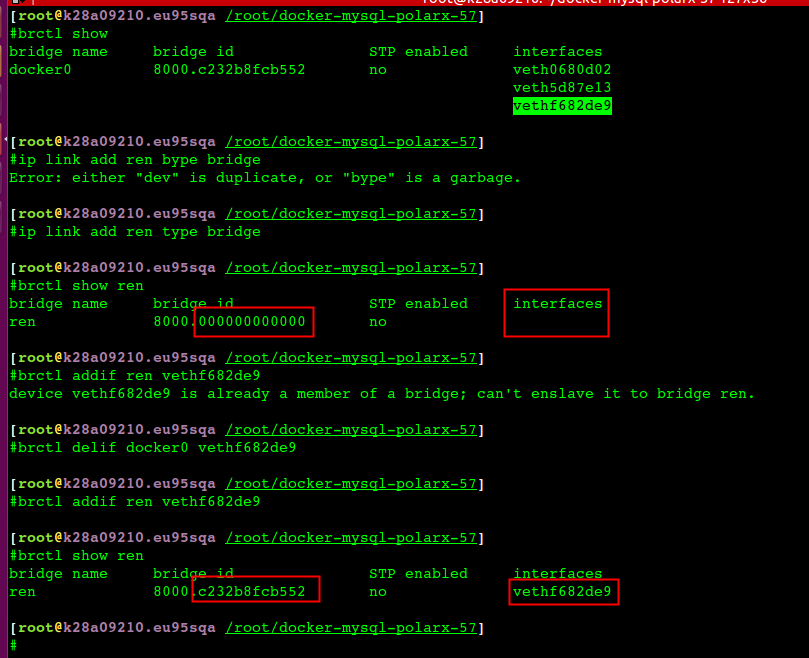
Jan 22 17:21:43 l57f12112.sqa.nu8 dockerd[68317]: time="2021-01-22T17:21:43.991179104+08:00" level=warning msg="failed to load plugin io.containerd.snapshotter.v1.aufs" error="modprobe aufs failed: "modprobe: FATAL: Module aufs not found.\n": exit status 1" Jan 22 17:21:43 l57f12112.sqa.nu8 dockerd[68317]: time="2021-01-22T17:21:43.991371956+08:00" level=warning msg="could not use snapshotter btrfs in metadata plugin" error="path /var/lib/docker/containerd/daemon/io.containerd.snapshotter.v1.btrfs must be a btrfs filesystem to be used with the btrfs snapshotter" Jan 22 17:21:43 l57f12112.sqa.nu8 dockerd[68317]: time="2021-01-22T17:21:43.991381620+08:00" level=warning msg="could not use snapshotter aufs in metadata plugin" error="modprobe aufs failed: "modprobe: FATAL: Module aufs not found.\n": exit status 1" Jan 22 17:21:43 l57f12112.sqa.nu8 dockerd[68317]: time="2021-01-22T17:21:43.991388991+08:00" level=warning msg="could not use snapshotter zfs in metadata plugin" error="path /var/lib/docker/containerd/daemon/io.containerd.snapshotter.v1.zfs must be a zfs filesystem to be used with the zfs snapshotter: skip plugin" Jan 22 17:21:44 l57f12112.sqa.nu8 systemd[1]: Stopping Docker Application Container Engine... Jan 22 17:21:45 l57f12112.sqa.nu8 dockerd[68317]: failed to start daemon: Error initializing network controller: list bridge addresses failed: PredefinedLocalScopeDefaultNetworks List: [172.17.0.0/16 172.18.0.0/16 172.19.0.0/16 172.20.0.0/16 172.21.0.0/16 172.22.0.0/16 172.23.0.0/16 172.24.0.0/16 172.25.0.0/16 172.26.0.0/16 172.27.0.0/16 172.28.0.0/16 172.29.0.0/16 172.30.0.0/16 172.31.0.0/16 192.168.0.0/20 192.168.16.0/20 192.168.32.0/20 192.168.48.0/20 192.168.64.0/20 192.168.80.0/20 192.168.96.0/20 192.168.112.0/20 192.168.128.0/20 192.168.144.0/20 192.168.160.0/20 192.168.176.0/20 192.168.192.0/20 192.168.208.0/20 192.168.224.0/20 192.168.240.0/20]: no available network Jan 22 17:21:45 l57f12112.sqa.nu8 systemd[1]: docker.service: main process exited, code=exited, status=1/FAILURE Jan 22 17:21:45 l57f12112.sqa.nu8 systemd[1]: Stopped Docker Application Container Engine. Jan 22 17:21:45 l57f12112.sqa.nu8 systemd[1]: Unit docker.service entered failed state. Jan 22 17:21:45 l57f12112.sqa.nu8 systemd[1]: docker.service failed.
where the 192.168.y.x is the MAIN machine IP and /24 that ip netmask. Docker will use this network range for building the bridge and firewall riles. The –debug is not really needed, but might help if something else fails.
After starting once, you can kill the docker and start as usual. AFAIK, docker have created a cache config for that –bip and should work now without it. Of course, if you clean the docker cache, you may need to do this again.
UNIT LOAD PATH Unit files are loaded from a set of paths determined during compilation, described in the two tables below. Unit files found in directories listed earlier override files with the same name in directories lower in the list.
Table 1. Load path when running in system mode (--system). ┌────────────────────────┬─────────────────────────────┐ │Path │ Description │ ├────────────────────────┼─────────────────────────────┤ │/etc/systemd/system │ Local configuration │ ├────────────────────────┼─────────────────────────────┤ │/run/systemd/system │ Runtime units │ ├────────────────────────┼─────────────────────────────┤ │/usr/lib/systemd/system │ Units of installed packages │ └────────────────────────┴─────────────────────────────┘
// ip netns 获取容器网络信息 1022 [2021-04-14 15:53:06] docker inspect -f '{{.State.Pid}}' ab4e471edf50 //获取容器进程id 1023 [2021-04-14 15:53:30] ls /proc/79828/ns/net 1024 [2021-04-14 15:53:57] ln -sfT /proc/79828/ns/net /var/run/netns/ab4e471edf50 //link 以便ip netns List能访问 // 宿主机上查看容器ip 1026 [2021-04-14 15:54:11] ip netns list 1028 [2021-04-14 15:55:19] ip netns exec ab4e471edf50 ifconfig //nsenter调试网络 Get the pause container's sandboxkey: root@worker01:~# docker inspect k8s_POD_ubuntu-5846f86795-bcbqv_default_ea44489d-3dd4-11e8-bb37-02ecc586c8d5_0 | grep SandboxKey "SandboxKey": "/var/run/docker/netns/82ec9e32d486", root@worker01:~# Now, using nsenter you can see the container's information. root@worker01:~# nsenter --net=/var/run/docker/netns/82ec9e32d486 ip addr show 1: lo: <LOOPBACK,UP,LOWER_UP> mtu 65536 qdisc noqueue state UNKNOWN group default qlen 1 link/loopback 00:00:00:00:00:00 brd 00:00:00:00:00:00 inet 127.0.0.1/8 scope host lo valid_lft forever preferred_lft forever 3: eth0@if7: <BROADCAST,MULTICAST,UP,LOWER_UP> mtu 1450 qdisc noqueue state UP group default link/ether 0a:58:0a:f4:01:02 brd ff:ff:ff:ff:ff:ff link-netnsid 0 inet 10.244.1.2/24 scope global eth0 valid_lft forever preferred_lft forever Identify the peer_ifindex, and finally you can see the veth pair endpoint in root namespace. root@worker01:~# nsenter --net=/var/run/docker/netns/82ec9e32d486 ethtool -S eth0 NIC statistics: peer_ifindex: 7 root@worker01:~# root@worker01:~# ip -d link show | grep '7: veth' 7: veth5e43ca47@if3: <BROADCAST,MULTICAST,UP,LOWER_UP> mtu 1450 qdisc noqueue master cni0 state UP mode DEFAULT group default root@worker01:~#
To make this interface you'd first need to make sure that you have the dummy kernel module loaded. You can do this like so: $ sudo lsmod | grep dummy $ sudo modprobe dummy $ sudo lsmod | grep dummy dummy 12960 0 With the driver now loaded you can create what ever dummy network interfaces you like:
$ sudo ip link add eth10 type dummy
修改网卡名字
1 2 3 4 5 6 7 8 9
ip link set ens33 down ip link set ens33 name eth0 ip link set eth0 up
mv /etc/sysconfig/network-scripts/ifcfg-{ens33,eth0} sed -ire "s/NAME=\"ens33\"/NAME=\"eth0\"/" /etc/sysconfig/network-scripts/ifcfg-eth0 sed -ire "s/DEVICE=\"ens33\"/DEVICE=\"eth0\"/" /etc/sysconfig/network-scripts/ifcfg-eth0 MAC=$(cat /sys/class/net/eth0/address) echo -n 'HWADDR="'$MAC\" >> /etc/sysconfig/network-scripts/ifcfg-eth0
OS版本
搞Docker就得上el7, 6的性能太差了 Docker 对 Linux 内核版本的最低要求是3.10,如果内核版本低于 3.10 会缺少一些运行 Docker 容器的功能。这些比较旧的内核,在一定条件下会导致数据丢失和频繁恐慌错误。
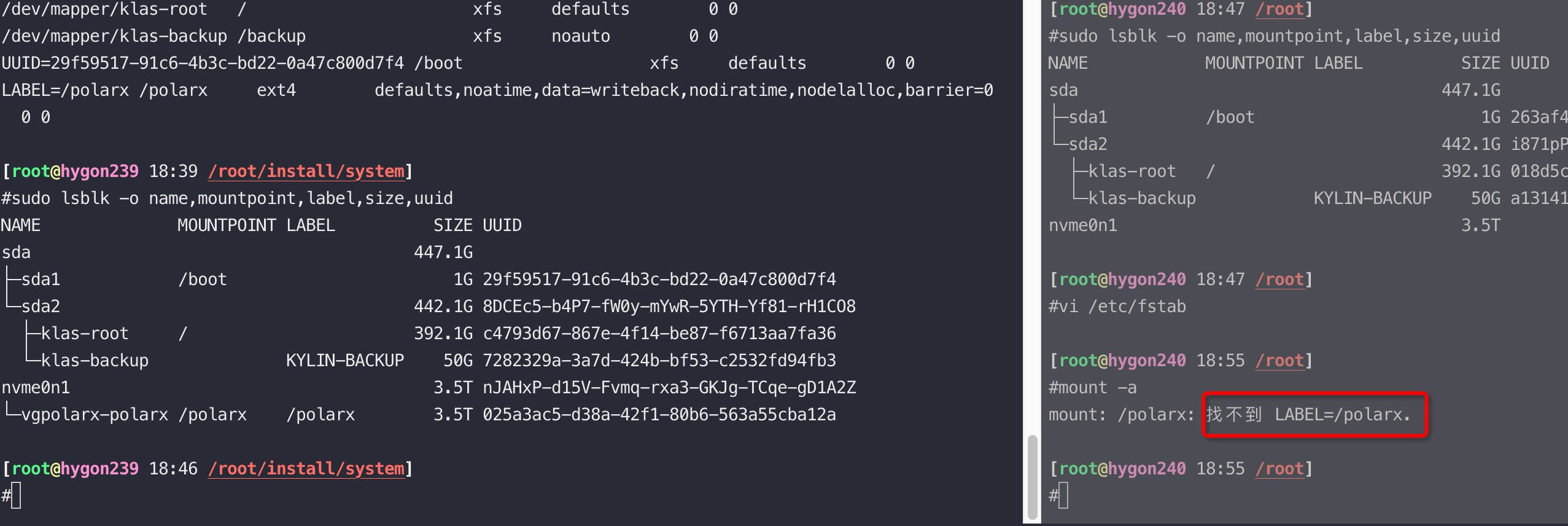
[13155344.231942] EXT4-fs warning (device sdd): ext4_dx_add_entry:2461: Directory (ino: 3145729) index full, reach max htree level :2 [13155344.231944] EXT4-fs warning (device sdd): ext4_dx_add_entry:2465: Large directory feature is not enabled on this filesystem
[root@ky3 ~]# mount -o lazytime,remount /polarx/ //增加lazytime参数 [root@ky3 ~]# mount -t ext4 /dev/mapper/vgpolarx-polarx on /polarx type ext4 (rw,noatime,nodiratime,lazytime,nodelalloc,nobarrier,stripe=128,data=writeback) [root@ky3 ~]# mount -o rw,remount /polarx/ //去掉刚加的lazytime 参数 [root@ky3 ~]# mount -t ext4 /dev/mapper/vgpolarx-polarx on /polarx type ext4 (rw,noatime,nodiratime,nodelalloc,nobarrier,stripe=128,data=writeback)
remount 时要特别小心,会大量回收 slab 等导致sys CPU 100% 打挂整机,remount会导致slab回收等,请谨慎执行
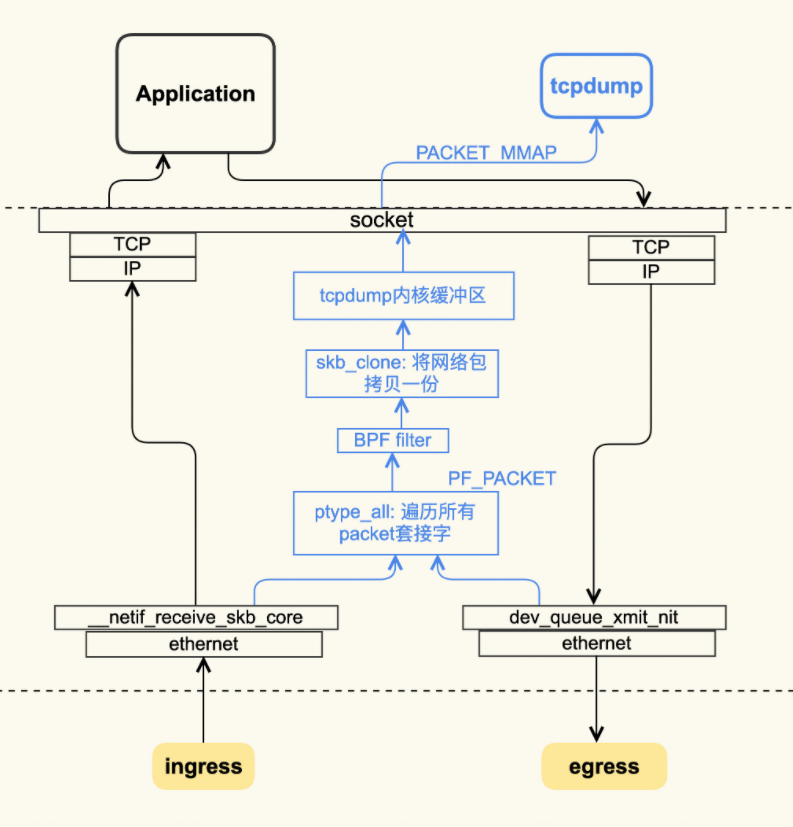
tcpdump -B/**–buffer-size=*buffer_size:*Set the operating system capture buffer size to buffer_size, in units of KiB (1024 bytes). tcpdump 丢包,造成这种丢包的原因是由于libcap抓到包后,tcpdump上层没有及时的取出,导致libcap缓冲区溢出,从而覆盖了未处理包,此处即显示为**dropped by kernel,注意,这里的kernel并不是说是被linux内核抛弃的,而是被tcpdump的内核,即 libcap 抛弃掉的
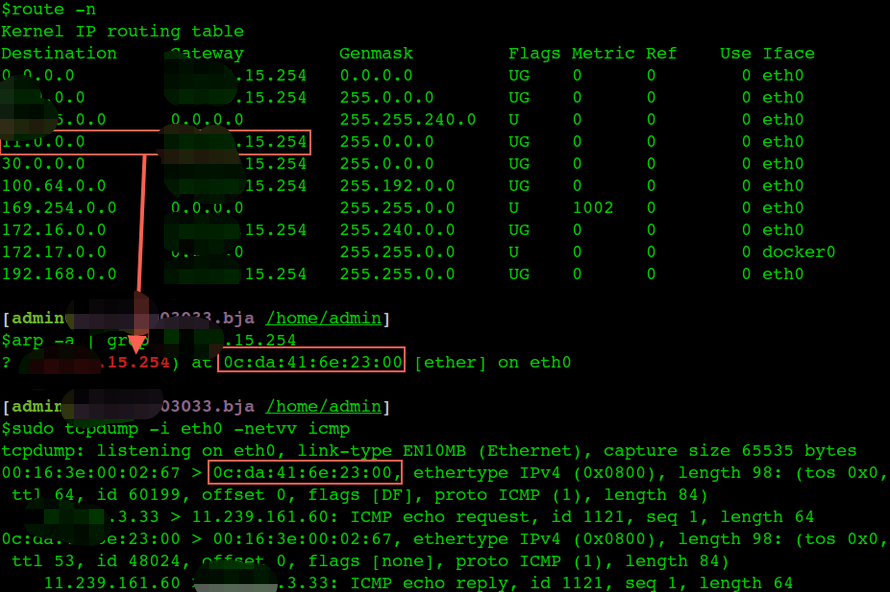
$arp -a
e010010011202.bja.tbsite.net (1.1.11.202) at 00:16:3e:01:c2:00 [ether] on eth0
? (1.1.15.254) at 0c:da:41:6e:23:00 [ether] on eth0
v125004187.bja.tbsite.net (1.1.4.187) at 00:16:3e:01:cb:00 [ether] on eth0
e010010001224.bja.tbsite.net (1.1.1.224) at 00:16:3e:01:64:00 [ether] on eth0
v125009121.bja.tbsite.net (1.1.9.121) at 00:16:3e:01:b8:ff [ether] on eth0
e010010009114.bja.tbsite.net (1.1.9.114) at 00:16:3e:01:7c:00 [ether] on eth0
v125012028.bja.tbsite.net (1.1.12.28) at 00:16:3e:00:fb:ff [ether] on eth0
e010010005234.bja.tbsite.net (1.1.5.234) at 00:16:3e:01:ee:00 [ether] on eth0
进入正题,回车后发生什么
有了上面的基础知识打底,我们来思考一下 ping IP 到底发生了什么。
首先 OS 的协议栈需要把ping命令封成一个icmp包,要填上包头(包括src-IP、mac地址),那么OS先根据目标IP和本机的route规则计算使用哪个interface(网卡),确定了路由也就基本上知道发送包的src-ip和src-mac了。每条路由规则基本都包含目标IP范围、网关、MAC地址、网卡这样几个基本元素。
And I did a shutdown of the client machine, so at …SHED on (2.47/254/2)
1 2 3 4
tcp 0 210 192.0.0.1:36483 192.0.68.1:43881 ESTABLISHED on (1.39/254/2) tcp 0 210 192.0.0.1:36483 192.0.68.1:43881 ESTABLISHED on (0.31/254/2) tcp 0 210 192.0.0.1:36483 192.0.68.1:43881 ESTABLISHED on (2.19/255/2) tcp 0 210 192.0.0.1:36483 192.0.68.1:43881 ESTABLISHED on (1.12/255/2)
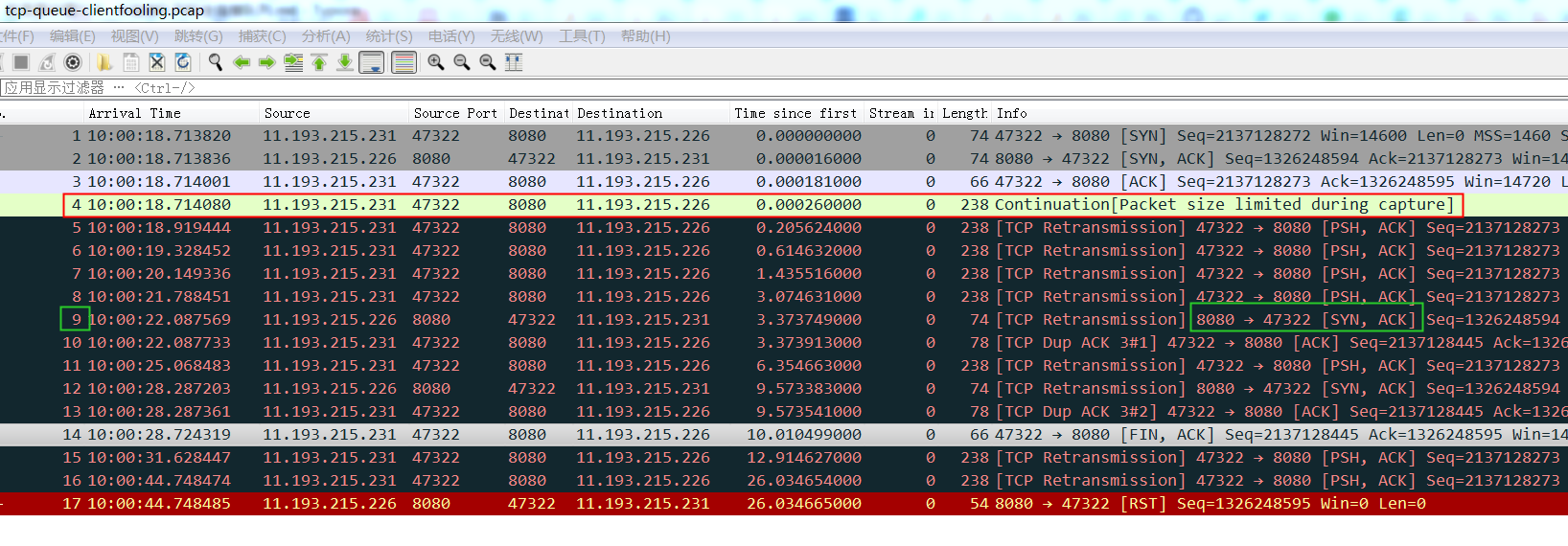
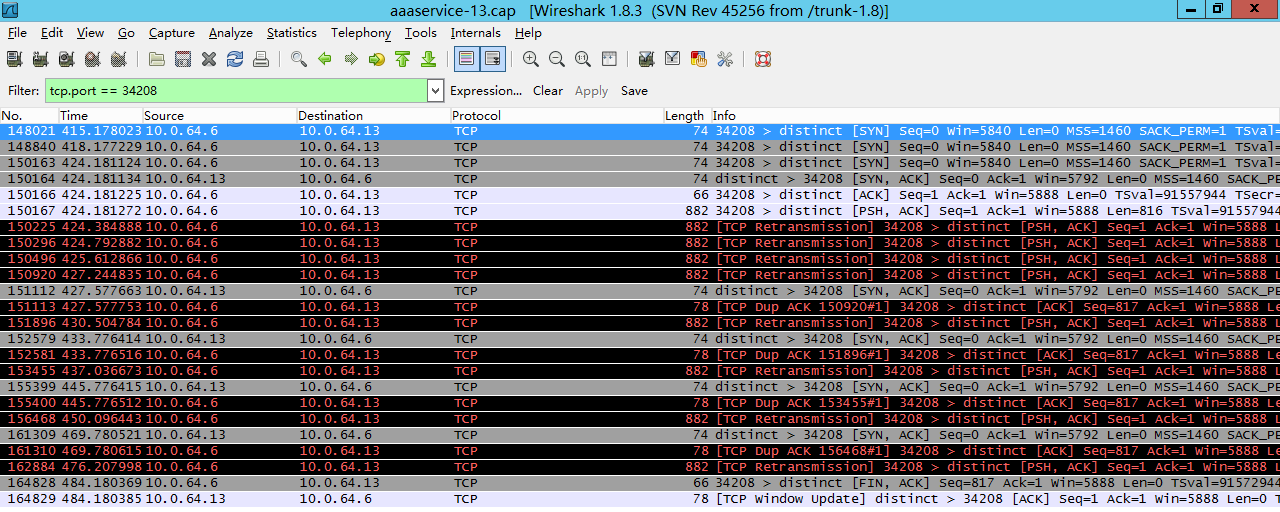
As you can see, in this case things are a little different. When the client went down, my server started sending keepalive messages, but while it was still sending those keepalives, my server tried to send a message to the client. Since the client had gone down, the server couldn’t get any ACK from the client, so the TCP retransmission started and the server tried to send the data again, each time incrementing the retransmit count (2nd field) when the retransmission timer (1st field) expired.
Hope this explains the netstat –timer option well.
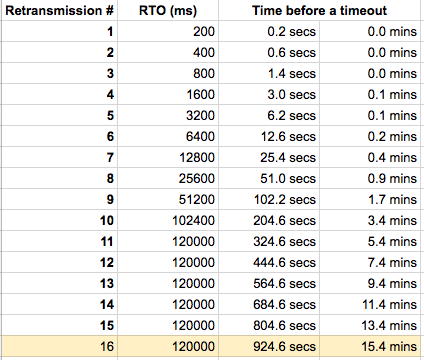
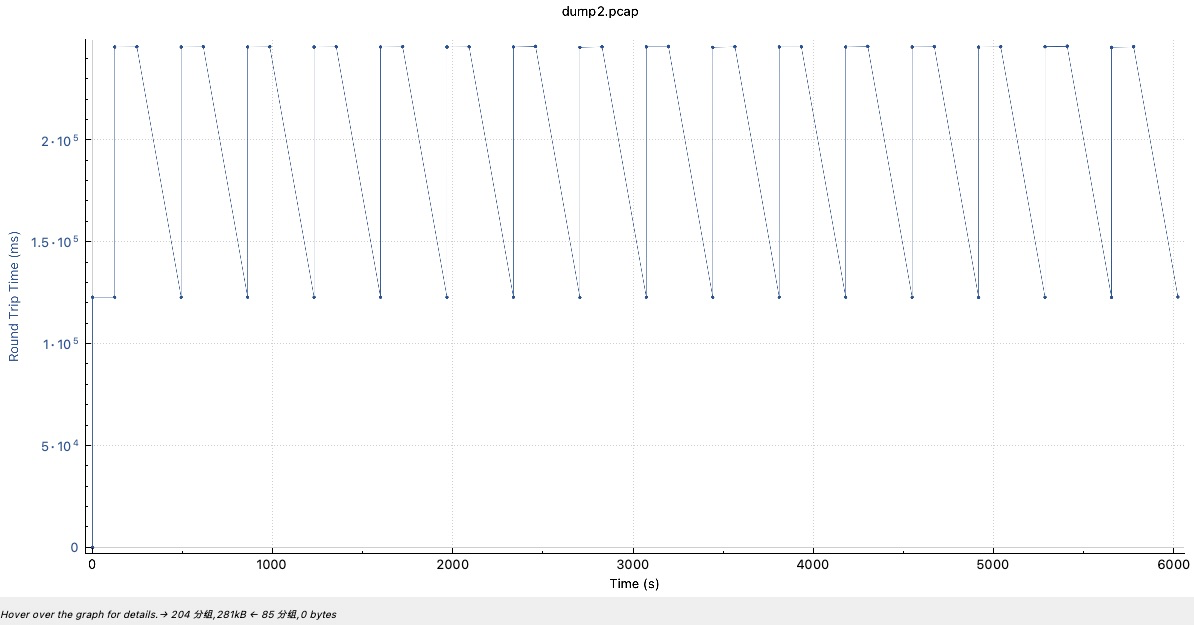
Linux 2.6+ uses HZ of 1000ms, so TCP_RTO_MIN is ~200 ms and TCP_RTO_MAX is ~120 seconds. Given a default value of tcp_retries set to 15, it means that it takes 924.6 seconds before a broken network link is notified to the upper layer (ie. application), since the connection is detected as broken when the last (15th) retry expires.
The tcp_retries2 sysctl can be tuned via /proc/sys/net/ipv4/tcp_retries2 or the sysctl net.ipv4.tcp_retries2.
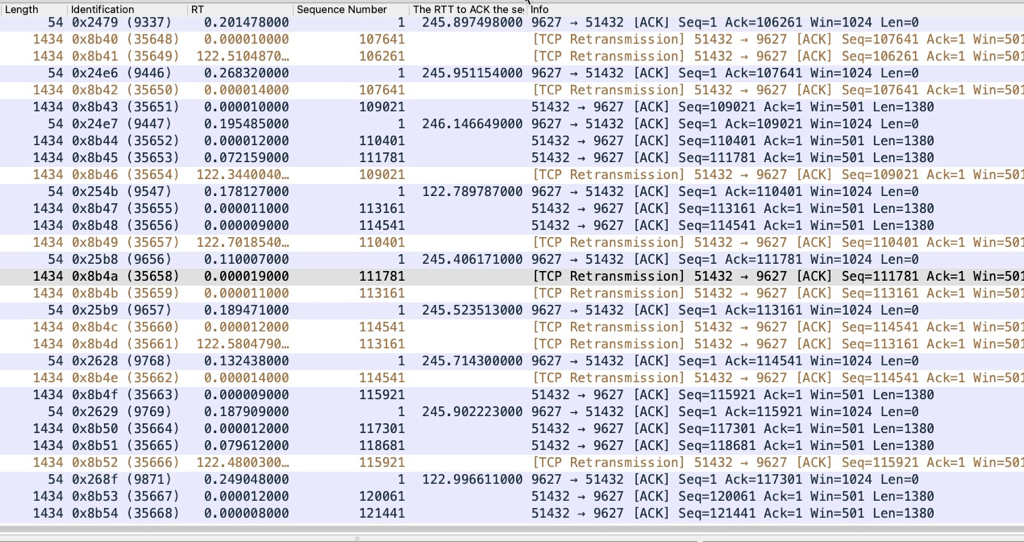
查看重传状态
重传状态的连接:
前两个 syn_sent 状态明显是 9031端口不work了,握手不上。
最后 established 状态的连接, 是22端口给53795发了136字节的数据但是没有收到ack,所以在倒计时准备重传中。
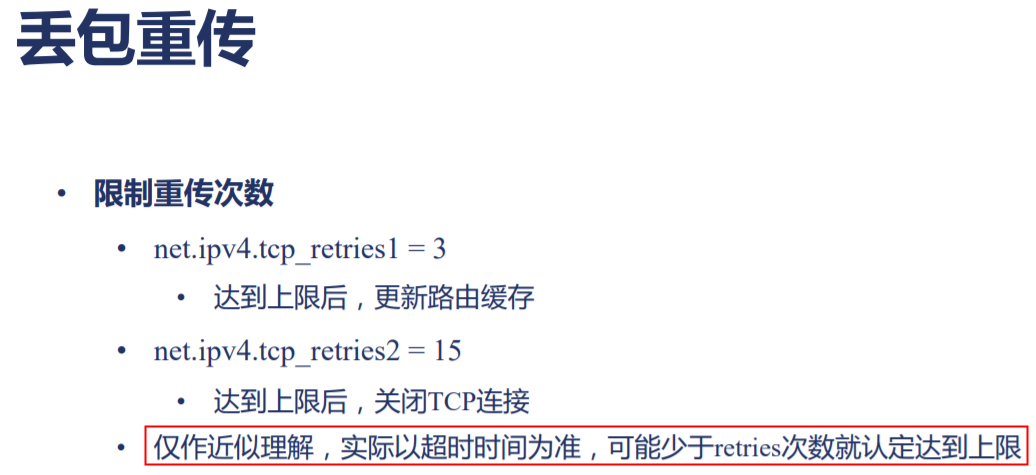
tcp_retries1 - INTEGER This value influences the time, after which TCP decides, that something is wrong due to unacknowledged RTO retransmissions, and reports this suspicion to the network layer. See tcp_retries2 for more details.
RFC 1122 recommends at least 3 retransmissions, which is the default.
tcp_retries2 - INTEGER This value influences the timeout of an alive TCP connection, when RTO retransmissions remain unacknowledged. Given a value of N, a hypothetical TCP connection following exponential backoff with an initial RTO of TCP_RTO_MIN would retransmit N times before killing the connection at the (N+1)th RTO.
The default value of 15 yields a hypothetical timeout of 924.6 seconds and is a lower bound for the effective timeout. TCP will effectively time out at the first RTO which exceeds the hypothetical timeout.
RFC 1122 recommends at least 100 seconds for the timeout, which corresponds to a value of at least 8.
retries限制的重传次数吗
咋一看文档,很容易想到retries的数字就是限定的重传的次数,甚至源码中对于retries常量注释中都写着”This is how many retries it does…”
1 2 3 4 5 6 7 8 9 10 11 12 13
#define TCP_RETR1       3   /*
                             * This is how many retries it does before it
                             * tries to figure out if the gateway is
                             * down. Minimal RFC value is 3; it corresponds
                             * to ~3sec-8min depending on RTO.
                             */

#define TCP_RETR2       15  /*
                             * This should take at least
                             * 90 minutes to time out.
                             * RFC1122 says that the limit is 100 sec.
                             * 15 is ~13-30min depending on RTO.
                             */
/* This function calculates a "timeout" which is equivalent to the timeout of a * TCP connection after "boundary" unsuccessful, exponentially backed-off * retransmissions with an initial RTO of TCP_RTO_MIN or TCP_TIMEOUT_INIT if * syn_set flag is set. */ static bool retransmits_timed_out(struct sock *sk, unsigned int boundary, unsigned int timeout, bool syn_set) { unsigned int linear_backoff_thresh, start_ts; // 如果是在三次握手阶段,syn_set为真 unsigned int rto_base = syn_set ? TCP_TIMEOUT_INIT : TCP_RTO_MIN;
if (!inet_csk(sk)->icsk_retransmits) return false;
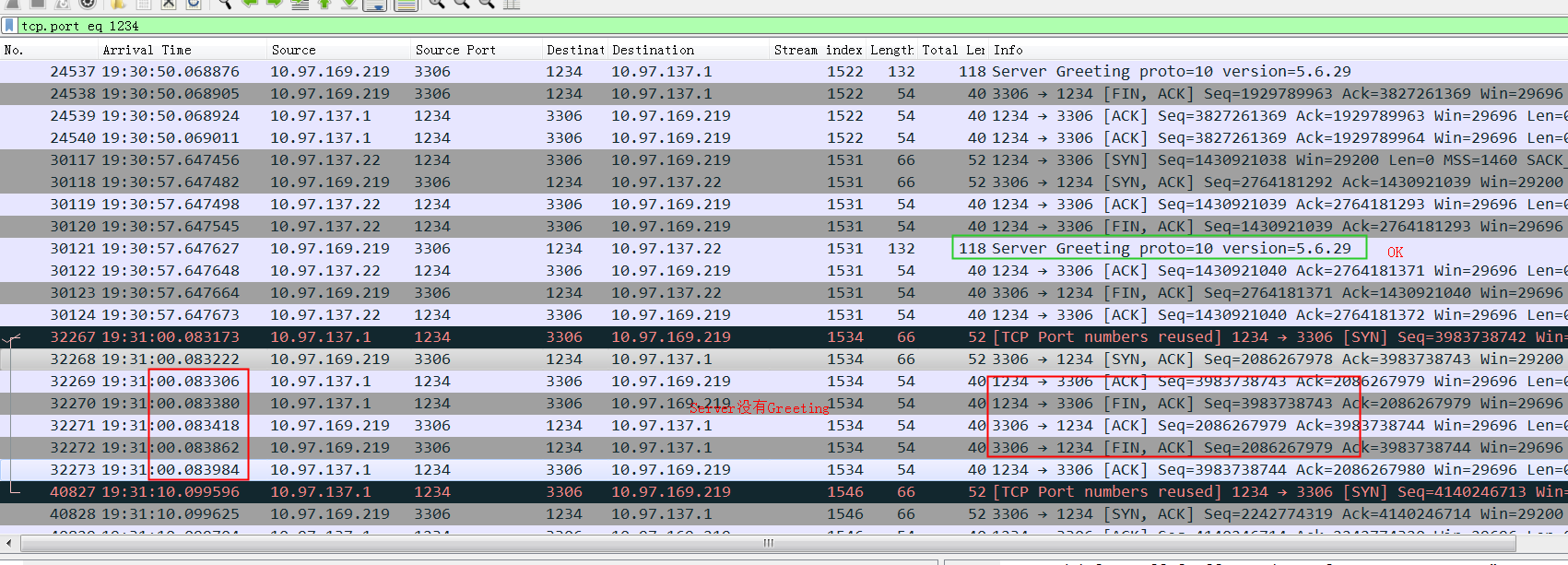
netstat -st | grep stamp | grep reject
18 passive connections rejected because of time stamp
1453 packets rejects in established connections because of timestamp
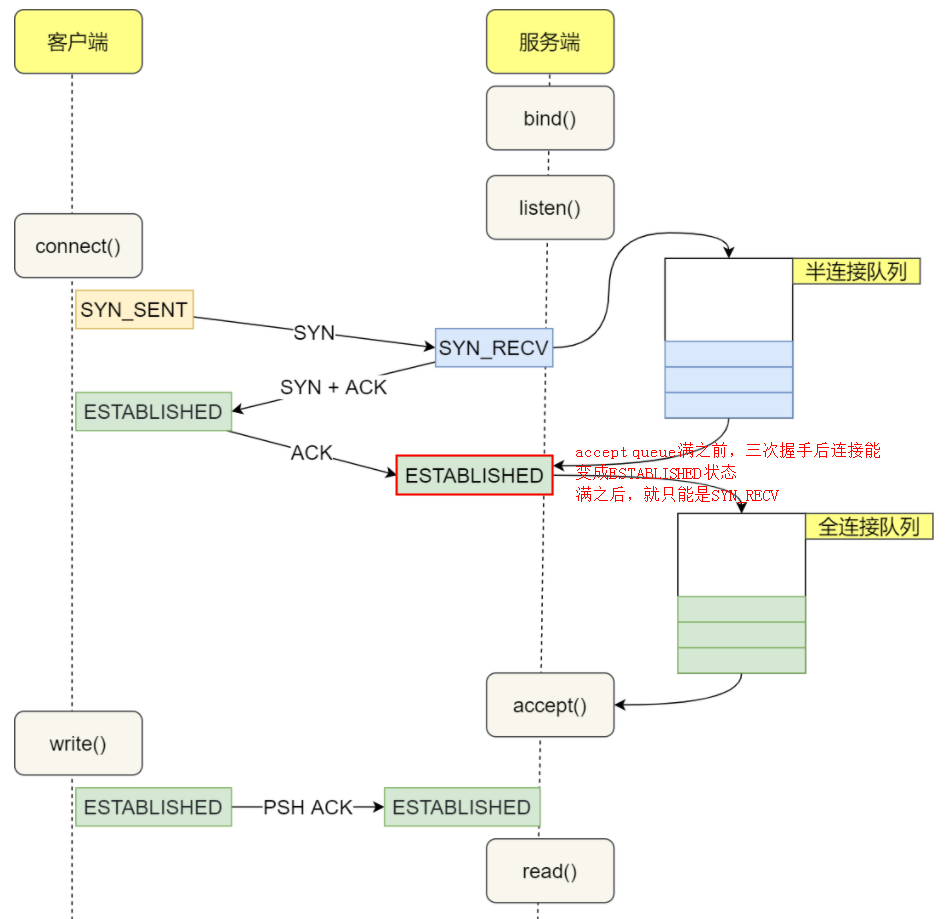
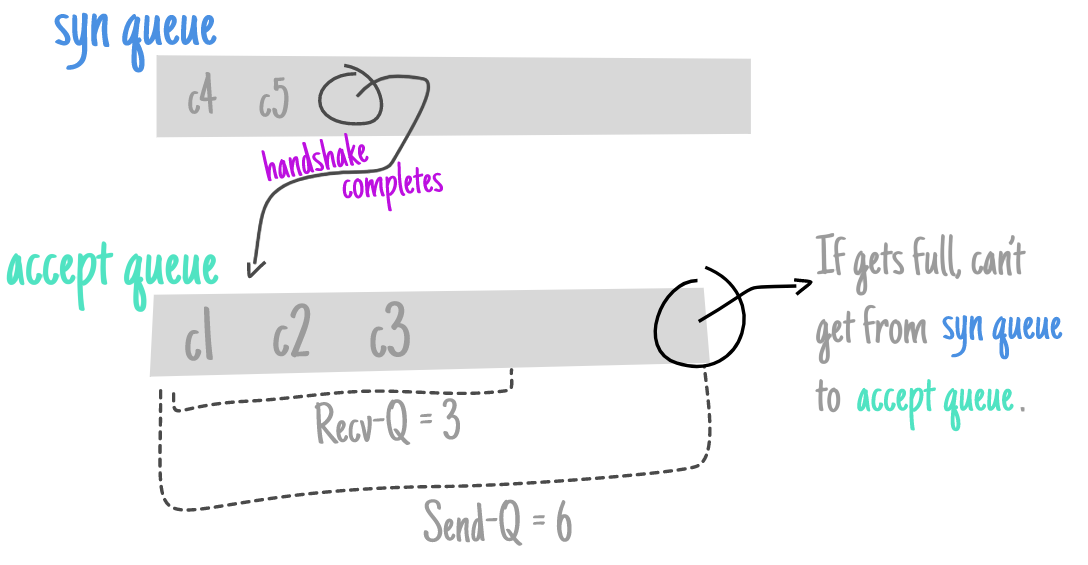
The backlog argument to the listen function has historically specified the maximum value for the sum of both queues.
There has never been a formal definition of what the backlog means. The 4.2BSD man page says that it “defines the maximum length the queue of pending connections may grow to.” Many man pages and even the POSIX specification copy this definition verbatim, but this definition does not say whether a pending connection is one in the SYN_RCVD state, one in the ESTABLISHED state that has not yet been accepted, or either. The historical definition in this bullet is the Berkeley implementation, dating back to 4.2BSD, and copied by many others.
SOMAXCONN is /proc/sys/net/core/somaxconn default value.
It has been defined as 128 more than 20 years ago.
Since it caps the listen() backlog values, the very small value has caused numerous problems over the years, and many people had to raise it on their hosts after beeing hit by problems.
Google has been using 1024 for at least 15 years, and we increased this to 4096 after TCP listener rework has been completed, more than 4 years ago. We got no complain of this change breaking any legacy application.
Many applications indeed setup a TCP listener with listen(fd, -1); meaning they let the system select the backlog.
Raising SOMAXCONN lowers chance of the port being unavailable under even small SYNFLOOD attack, and reduces possibilities of side channel vulnerabilities.
ServerSocket()
	Creates an unbound server socket.
ServerSocket(int port)
	Creates a server socket, bound to the specified port.
ServerSocket(int port, int backlog)
	Creates a server socket and binds it to the specified local port number, with the specified backlog.
ServerSocket(int port, int backlog, InetAddress bindAddr)
	Create a server with the specified port, listen backlog, and local IP address to bind to.
$netstat -tn
Active Internet connections (w/o servers)
Proto Recv-Q Send-Q Local Address   Foreign Address State
tcp    0  0 server:8182  client-1:15260 SYN_RECV
tcp    0 28 server:22    client-1:51708  ESTABLISHED
tcp    0  0 server:2376  client-1:60269 ESTABLISHED
netstat -tn 看到的 Recv-Q 跟全连接半连接中的Queue没有关系,这里特意拿出来说一下是因为容易跟 ss -lnt 的 Recv-Q 搞混淆
server1
150 SYNs to LISTEN sockets dropped

server2
193 SYNs to LISTEN sockets dropped

server3
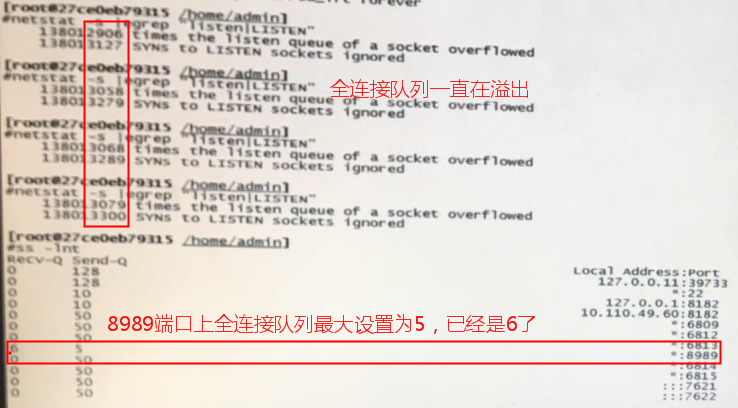
16329 times the listen queue of a socket overflowed
16422 SYNs to LISTEN sockets dropped

server4
20 times the listen queue of a socket overflowed
51 SYNs to LISTEN sockets dropped

server5
984932 times the listen queue of a socket overflowed
988003 SYNs to LISTEN sockets dropped
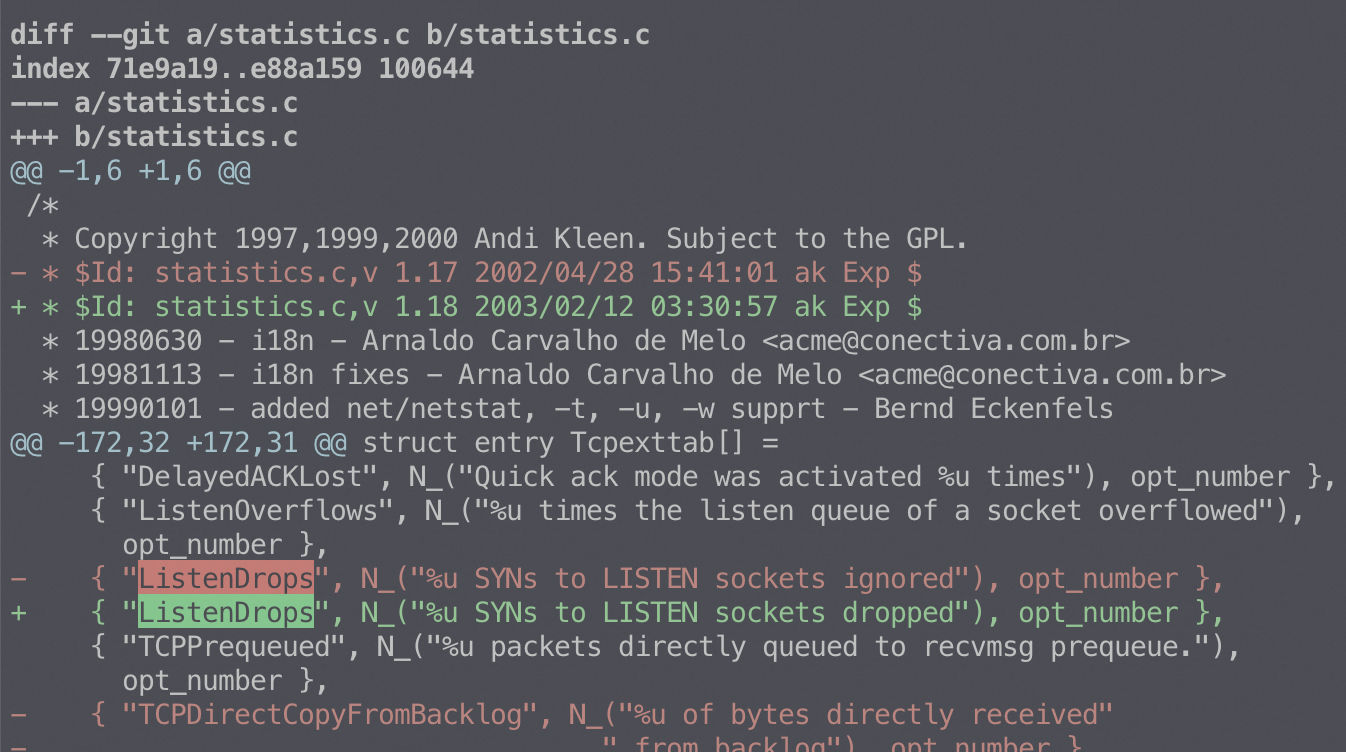
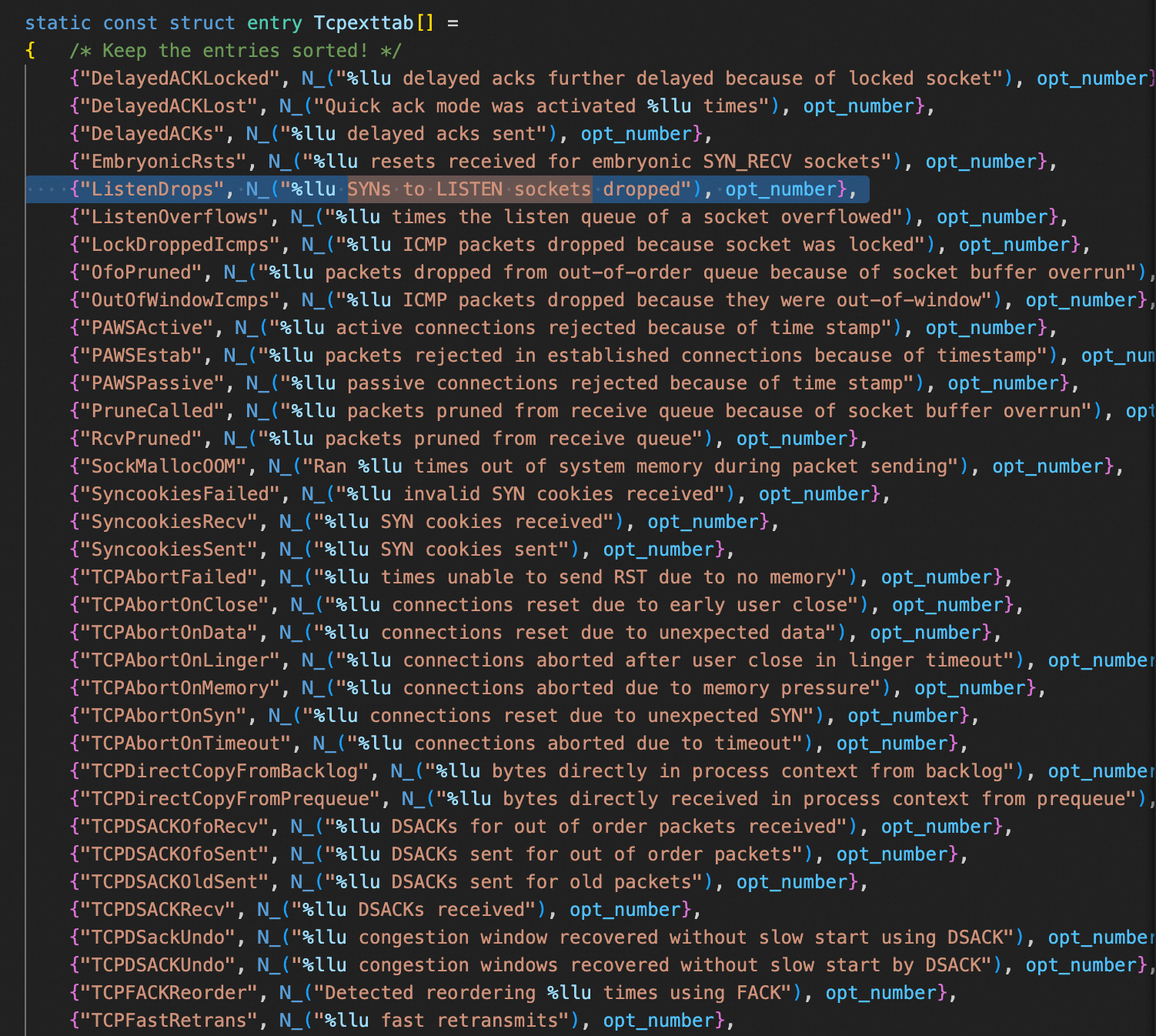
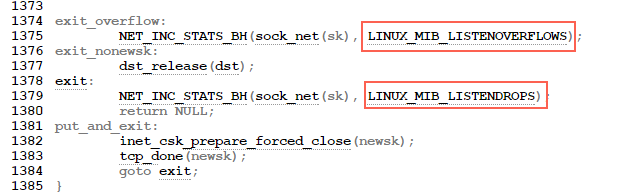
总结:SYNs to LISTEN sockets dropped(ListenDrops)表示:全连接/半连接队列溢出以及PAWSPassive 等造成的 SYN 丢包
commit 5ea8ea2cb7f1d0db15762c9b0bb9e7330425a071 Author: Eric Dumazet <edumazet@google.com> Date: Thu Oct 2700:27:572016
tcp/dccp: drop SYN packets if accept queue is full
Per listen(fd, backlog) rules, there is really no point accepting a SYN, sending a SYNACK, and dropping the following ACK packet if accept queue is full, because application is not draining accept queue fast enough.
This behavior is fooling TCP clients that believe they established a flow, while there is nothing at server side. They might then send about 10 MSS(if using IW10) that will be dropped anyway while server is under stress.
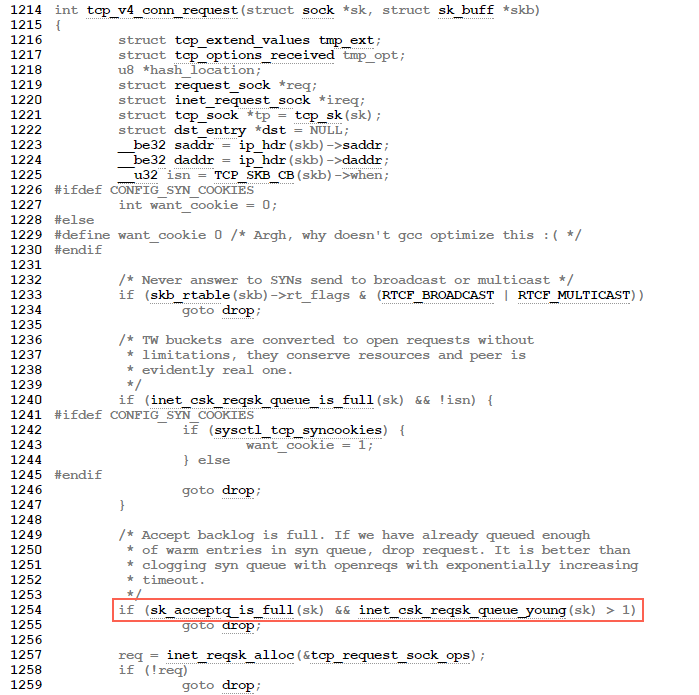
- /* Accept backlog is full. If we have already queued enough - * of warm entries in syn queue, drop request. It is better than - * clogging syn queue with openreqs with exponentially increasing - * timeout. - */ - if(sk_acceptq_is_full(sk) && inet_csk_reqsk_queue_young(sk) > 1) { + if (sk_acceptq_is_full(sk)) { NET_INC_STATS(sock_net(sk), LINUX_MIB_LISTENOVERFLOWS); goto drop; }